Done-for-you profit dashboard

Know what makes your business money.

For restaurants, shops, online stores and service businesses doing $50k a month and up.

Margin Machine connects your sales, costs, ads, fees, and sheets in one live view. Then it checks the math and tells you what still needs attention.

Built and connected for you, around your real business.

See if it fits

Four taps, about 30 seconds, then pick a time for a free 15-minute call with Dan.
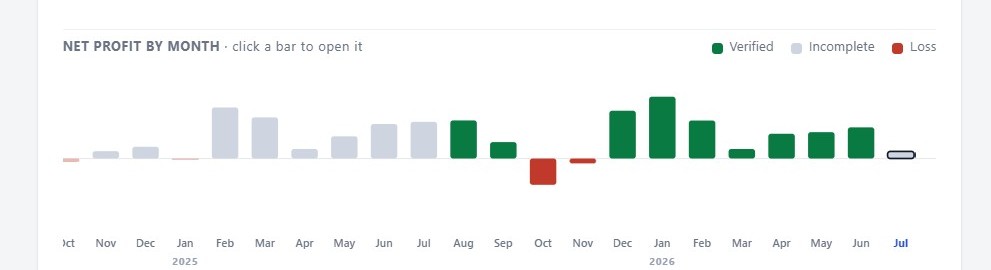
Business health chart from the current Margin Machine product, using example data. Lines for revenue, costs, and net profit over 12 months, a monthly goal line, and August marked as a month still running.
Current product with example data. The month still in progress is dashed and labeled, not passed off as final.
The questions it answers

One page. Three decisions.

You should not need six tabs, a bank balance, and a guess. Margin Machine puts the answer first and keeps the proof one click away.

01

Did we make money?

See revenue, every known cost, and what is left. A month is only marked verified when its checks pass.

02

Which channels are working?

See where revenue and customers come from, what growth costs, and whether repeat business is getting stronger.

03

What needs attention?

A stale source, missing supplier cost, or amount you still need to enter becomes a short, clear action.
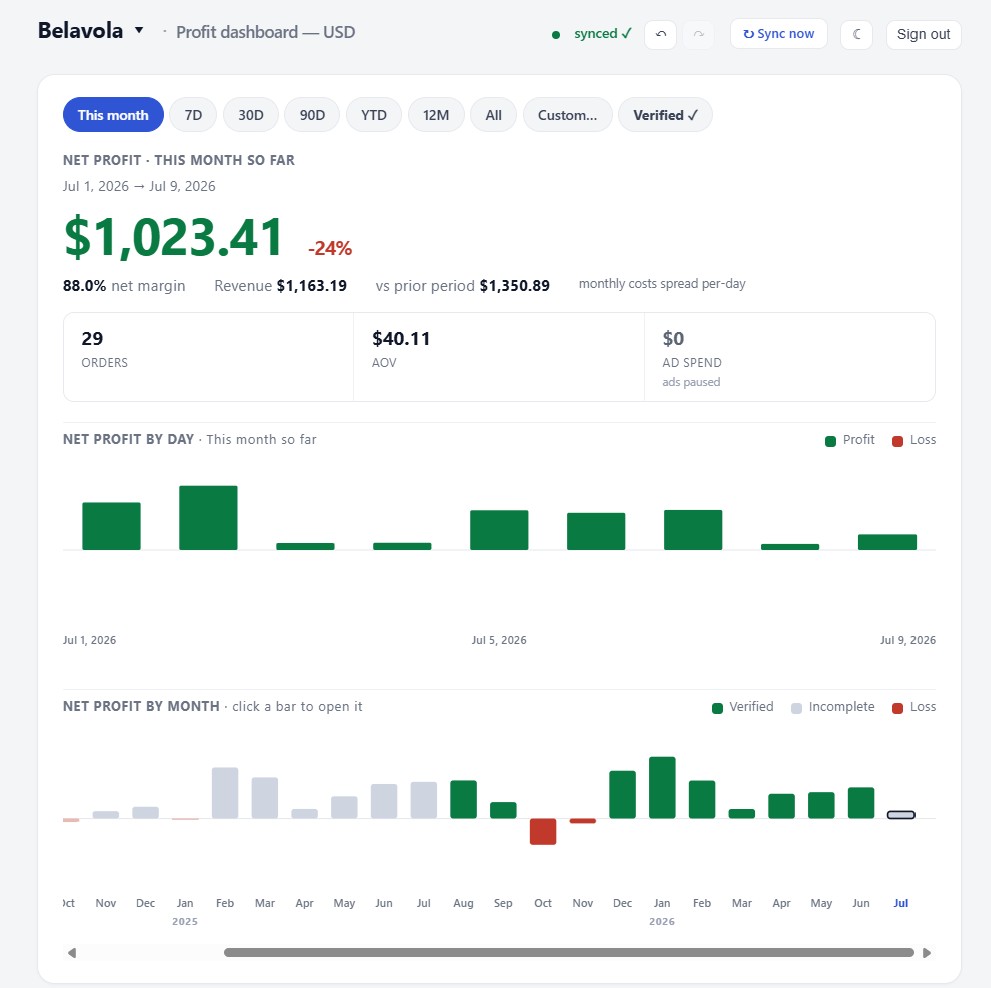
Home screen of the current Margin Machine product, using example data. It shows August profit so far with revenue, costs, and margin, a verified total, a 12-month business health chart, one amount that still needs to be entered, the August statement, and a growth pulse.
The home view: profit so far, the verified total, the health chart, and the one thing to fix. Click to see the full page.
Useful, not impressive

It shows the good news and the bad.

A dashboard only helps if you can trust it. Margin Machine shows how each number was built and never passes off a month in progress as final.

What makes it different

Connected data with an honest confidence check.

Most reports stop at a number. Margin Machine also shows whether the number is complete enough to use.
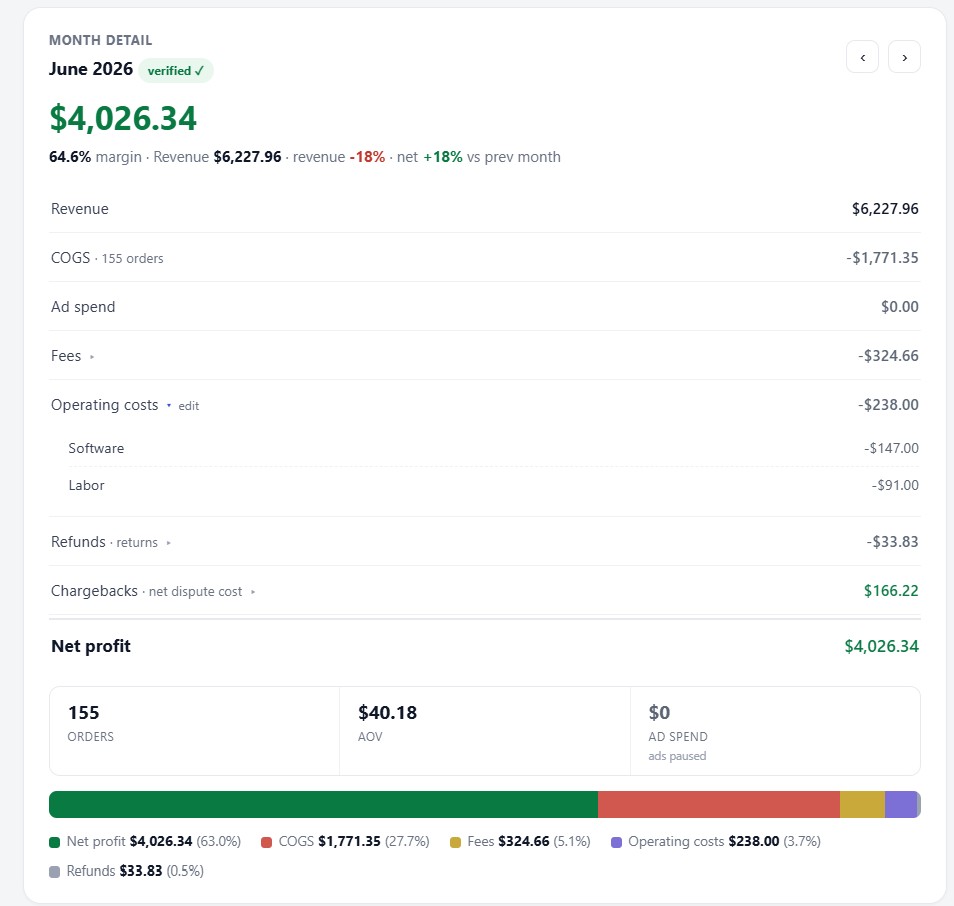
  • Verified monthsEvery required source and cost check passed.
  • Open monthsYou see which source or entry is still open before you act on it.
  • Channel clarityCompare sales sources without counting the same sale twice.
Monthly statement for August 2026 in the current Margin Machine product, using example data. The profit and loss card is marked In progress. A side panel lists what is complete and what is still missing, and when each source last synced.
Every month shows its proof. August is still in progress, so it stays out of the verified total.
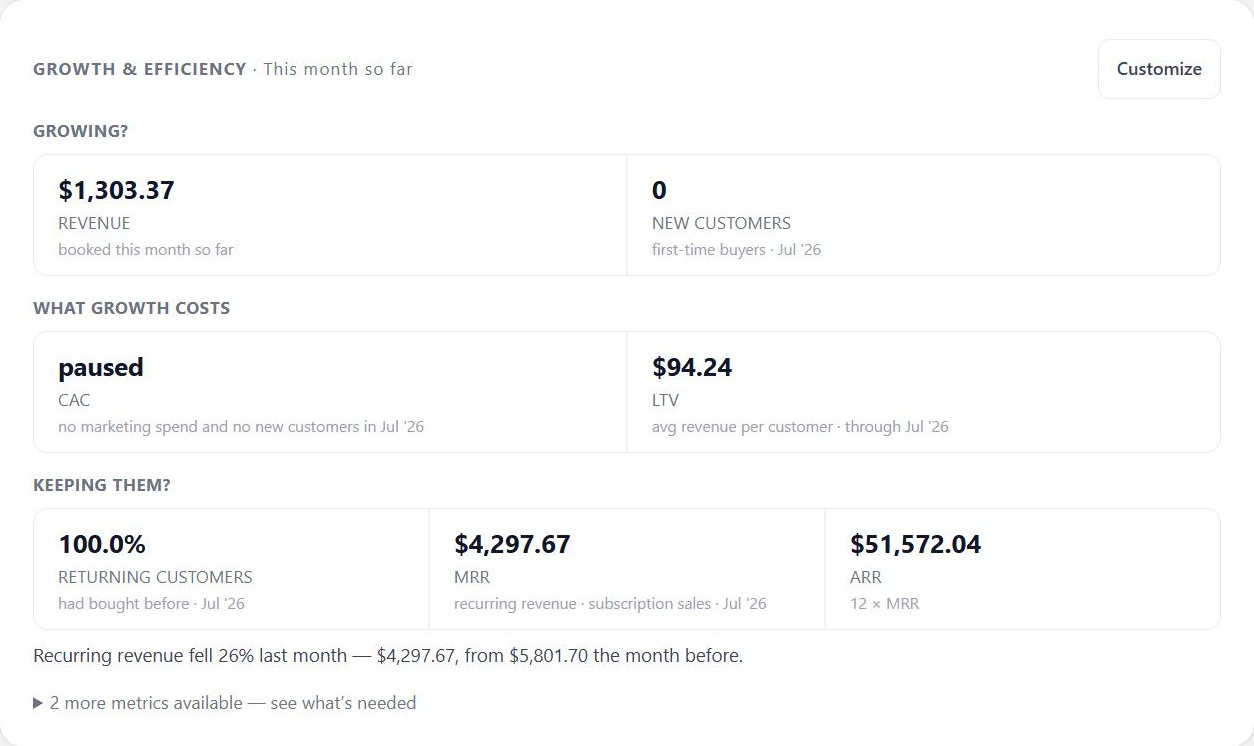
Growth screen of the current Margin Machine product, using example data. Tiles for July revenue, new customers, cost per new customer, and customer lifetime value. A revenue and profit trend chart with August marked partial, a What changed panel, and cards for customers and retention and for marketing efficiency.
See what is growing, what a new customer costs, and how many come back.
See more of the dashboard Sources and recurring costs
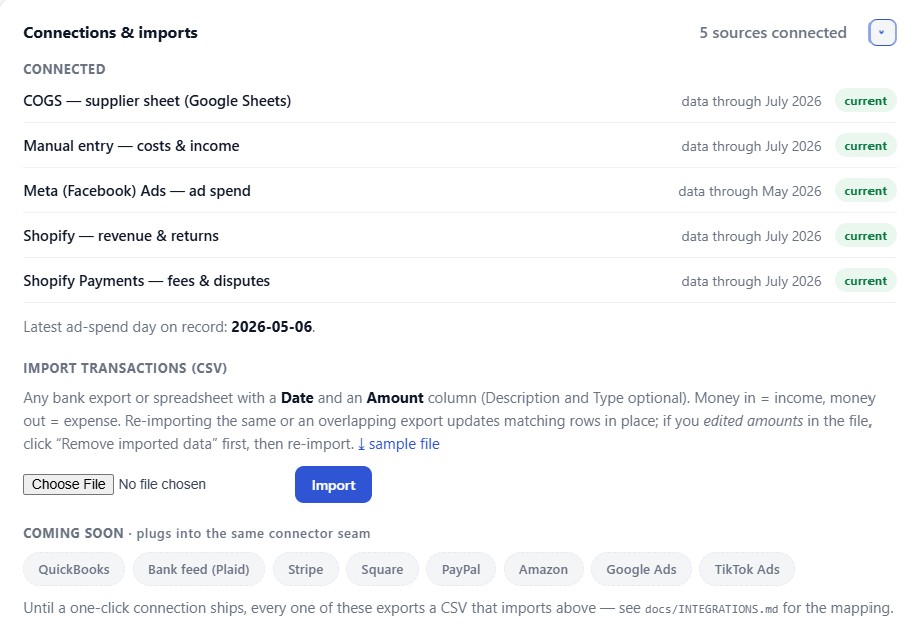
Sources screen of the current Margin Machine product, using example data. Four cards ask where your numbers live: Shopify and Meta ads show Connected, and a Google Sheet or a bank or PayPal file can be added. Below, five connected sources show how recent their data is: Shopify sales, Shopify Payments, the supplier cost sheet, Meta advertising, and owner-entered costs and income, which says Needs you.
Each source shows how current it is and when it needs you.
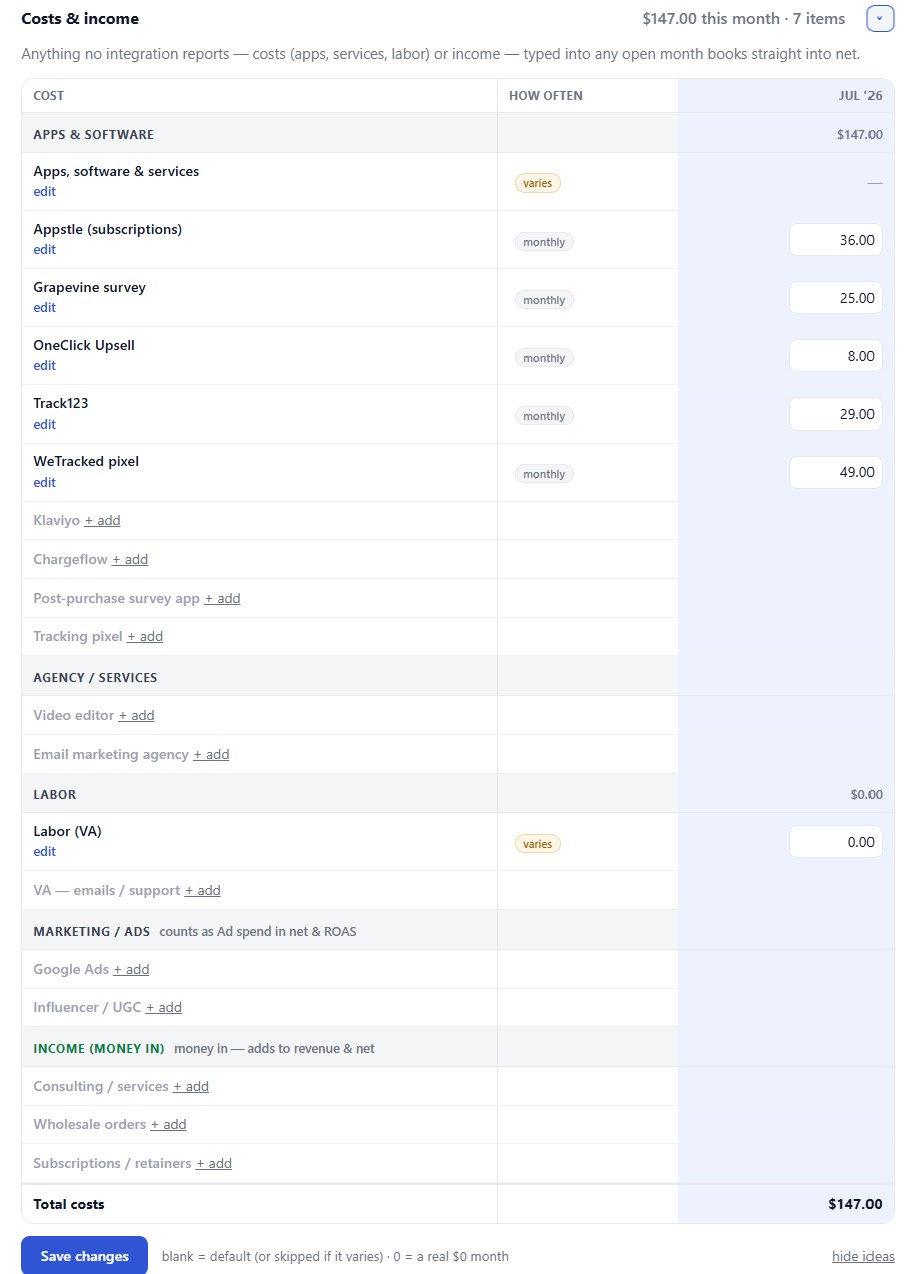
Costs and income screen of the current Margin Machine product, using example data. A table of August lines starts with the one amount still to enter, packaging supplies, then owner-entered lines for software, a contractor, a trade show booth that is not due this month, and rent. The five rows from connected sources are folded into one line below the total. A form to add a line sits on the right. Below, a table splits income by sales channel.
Enter a recurring cost once. Each month, confirm only what changed.
Done for you

You do not set this up alone.

This is not another blank software account. Dan connects Margin Machine to the tools and sheets you already use, then fits it to how your business actually works.

Start with a free call

Show where sales, costs, and ad numbers live. No cleanup or preparation needed.

Dan wires the dashboard

Your real sources, categories, and business rules are connected by hand.

Open one live answer

See profit, channel performance, missing inputs, and the proof behind each month.

What happens on the free consultation?

We map your current tools, show the current dashboard experience, and decide whether this would save you time or reveal something useful.

Book the free call
Fair questions

The details, when you want them.

The main page stays focused. Open only the answer you need.

Will you see my numbers?

Yes, when we need to. Dan works in your dashboard while he sets it up and when something needs fixing. After that, a support switch lets him view it when you want help; it starts on, and turning it off blocks support sign-ins. As the operator we also keep administrative access for setup and repairs, which the switch does not block; the privacy policy explains it.

How secure is my data?

Connections are read-only, keys are kept as secrets outside the code, and each client gets a private deployment and database. You can revoke source access yourself. Read the full security explanation.

Do I need Shopify?

No. Stores can bring in their Shopify orders from an export. Service businesses use Google Sheets, CSV files, typed entries, and an optional sales pipeline.

What if my books are messy?

That is normal. We connect what exists, find what is not recorded anywhere yet together on the setup call, and fix one fact at a time. Margin Machine never guesses a missing number.

Free 15-minute consultation

Bring the messy version.

Show us where the numbers live. We will map the clearest path to one trustworthy view and tell you honestly if Margin Machine is a fit.

See if it fits

No slides. No prep. No obligation.